Hearings and deadlines in different places?
One calendar, deadline rules built in.
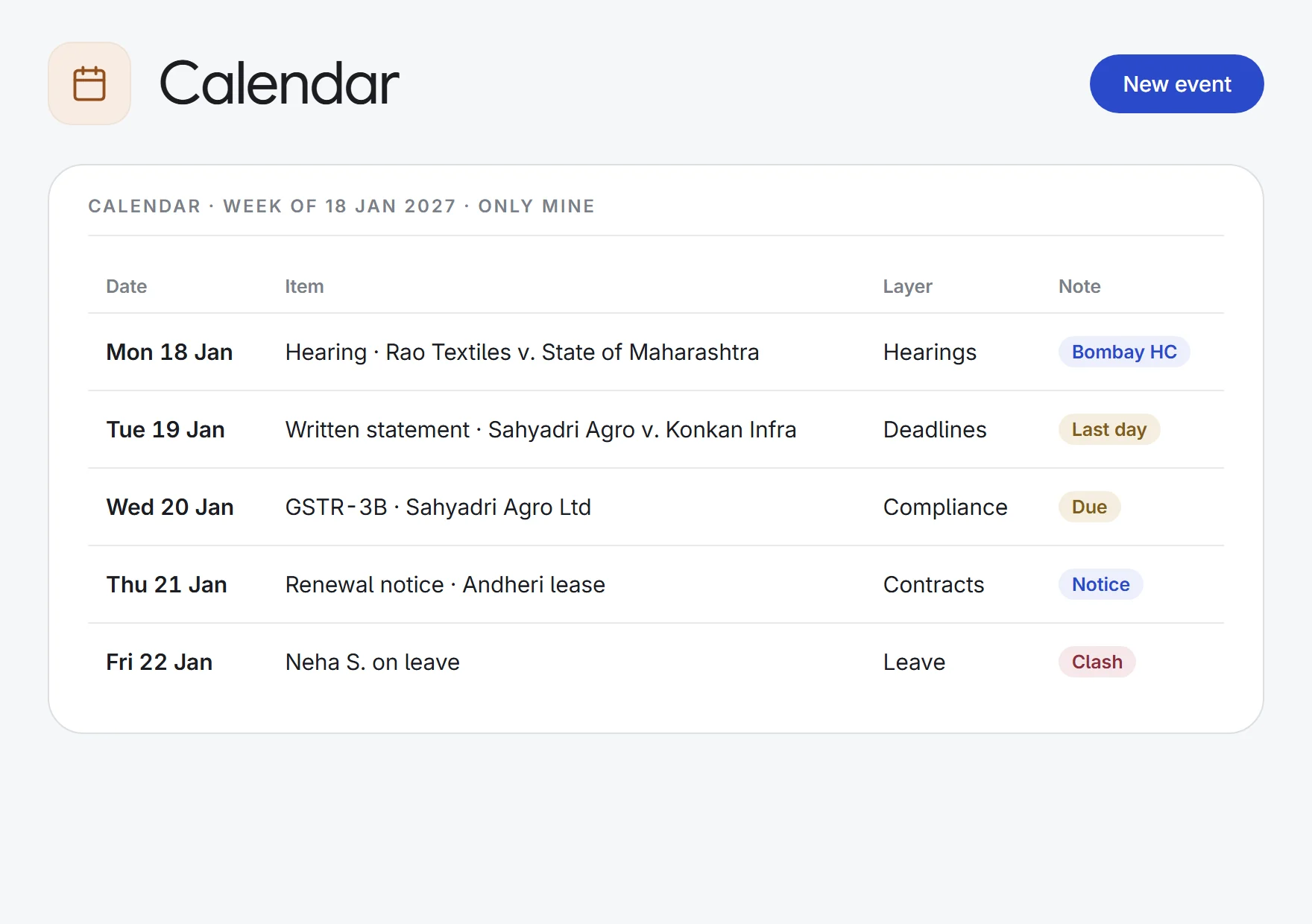
Hearings, deadlines, tasks, meetings, contract and compliance dates and leave from every matter you can see, in one calendar. A deadline calculator works out limitation and procedural dates with court closures counted.
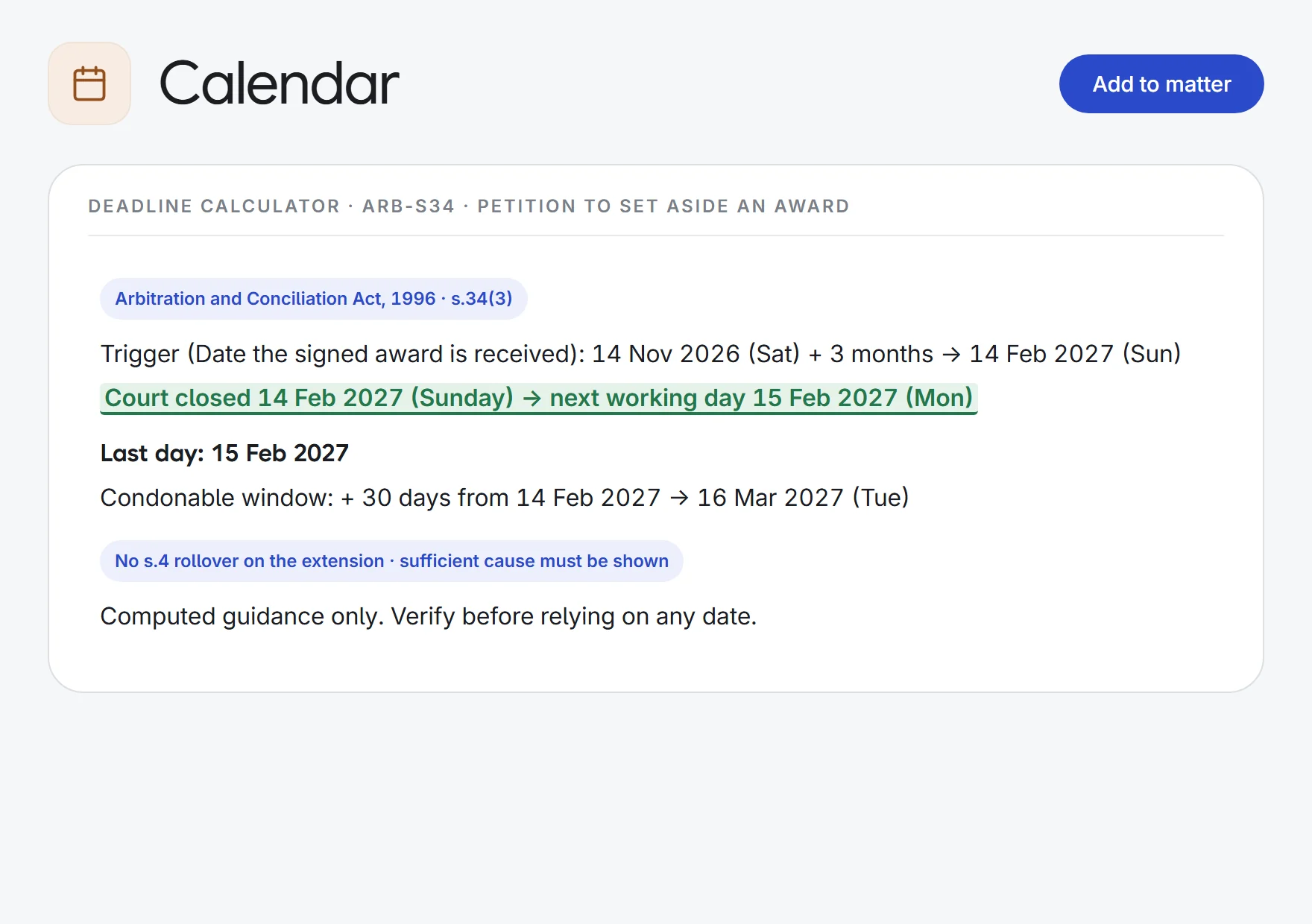
- Arbitration awards
1 award date→a s.34 deadline
Last dayCondonable toWorking shown
- Vacation deadlines
1 decree→the next working day
LimitationCourt closures.4 rollover
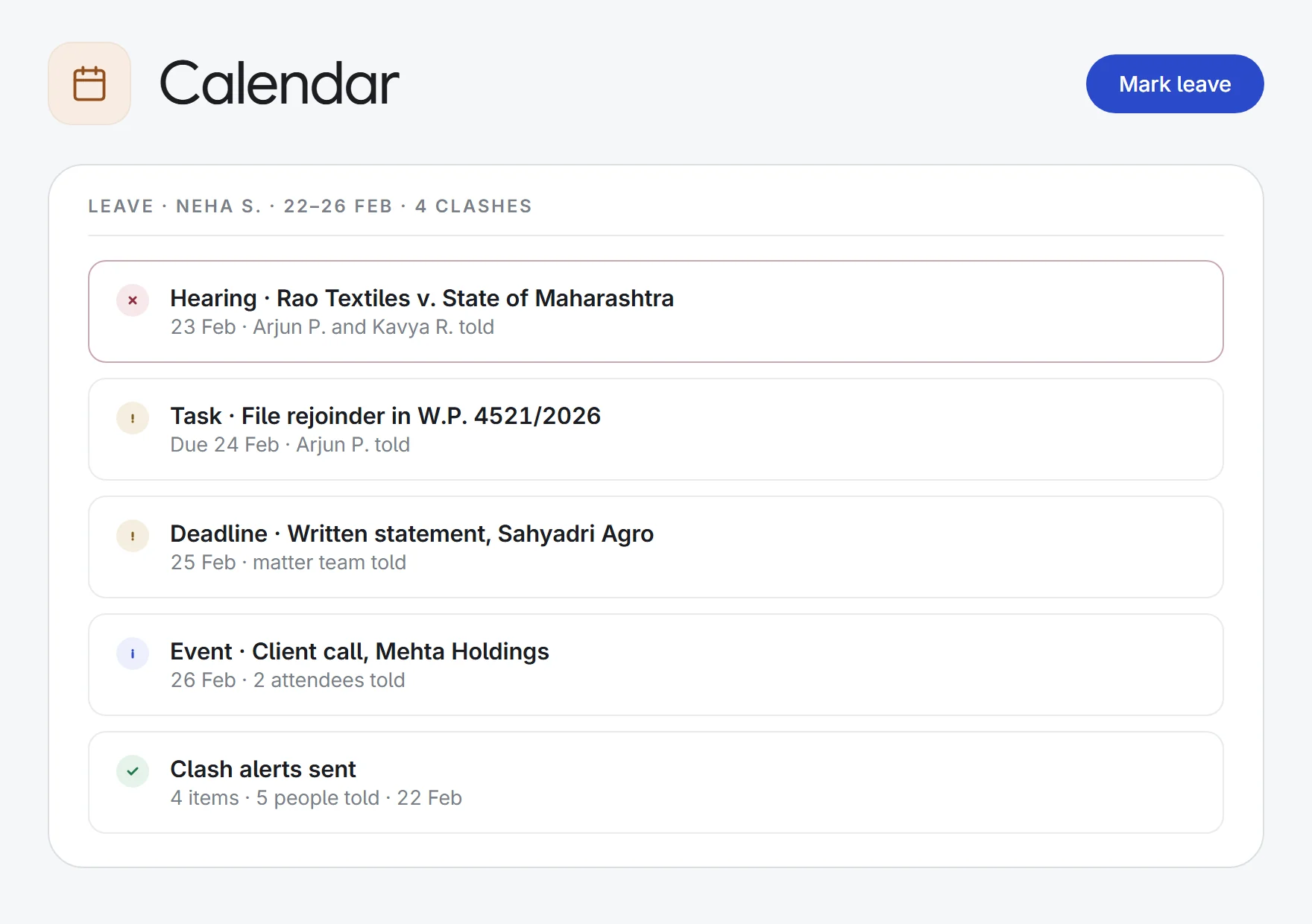
- Leave planning
1 week off→4 clashes flagged
HearingTaskWho’s told
- Chained deadlines
1 suit filed→every next date
Written statementReplicationReminders
What Calendar does.
Everything with a date
Hearings, matter deadlines, tasks, events, contract dates, compliance due dates, IP deadlines and leave, as layers you switch on or off. Tick “Only mine” to see just yours.
Read live, never copied
Each item stays in its own app and links back to it, so a changed hearing date changes on the calendar too.
Deadline calculator
Over 60 rules in 11 sets: Limitation Act, CPC, BNSS, Arbitration, Commercial Courts, IBC, Consumer Protection, income tax, GST and the Supreme Court. Add your firm’s own.
Court closures counted
A period ending on a Sunday, a state holiday or a court vacation runs to the next working day (Limitation Act s.4). Condonable windows are shown separately and not rolled over.
Shows its working
Every date comes with a step-by-step trace and the citation, so you can check the arithmetic. Add time excluded for certified copies (s.12), a wrong forum (s.14) or a stay (s.15).
Straight onto the matter
Add computed dates to a matter as deadlines with reminders. Chained rules, such as written statement then replication, come through together.
Leave and clash alerts
Mark yourself on leave, court duty or travel. Everyone on the hearings, tasks, deadlines and events you’ll miss is told, once.
Outlook and Google sync
Two-way sync with Outlook and Google Calendar is coming soon.
Firm events
Schedule meetings, hearings, filings and reminders, with attendees, repeats, reminders and a choice of who can see them.
How it works.
- 1Dates flow inHearings, deadlines, tasks, contract and compliance dates appear from their own apps.
- 2Compute the deadlinesPick a rule and a trigger date; the calculator works out the last day, closures included, and adds it to the matter.
- 3Stay ahead of clashesMark leave, court duty or travel, and everyone affected is told once.
Enquiry to invoice: intake, conflicts, clients, tasks, time and billing.
See all 33 appsPut every date in the firm on one calendar.
Start a 7-day free trial, or see Calendar on one of your own matters with our team. Every plan includes every app.